Secret Chat App: Building a Smarter Routine for Private Conversations
By Elena Hartwood
39 Views
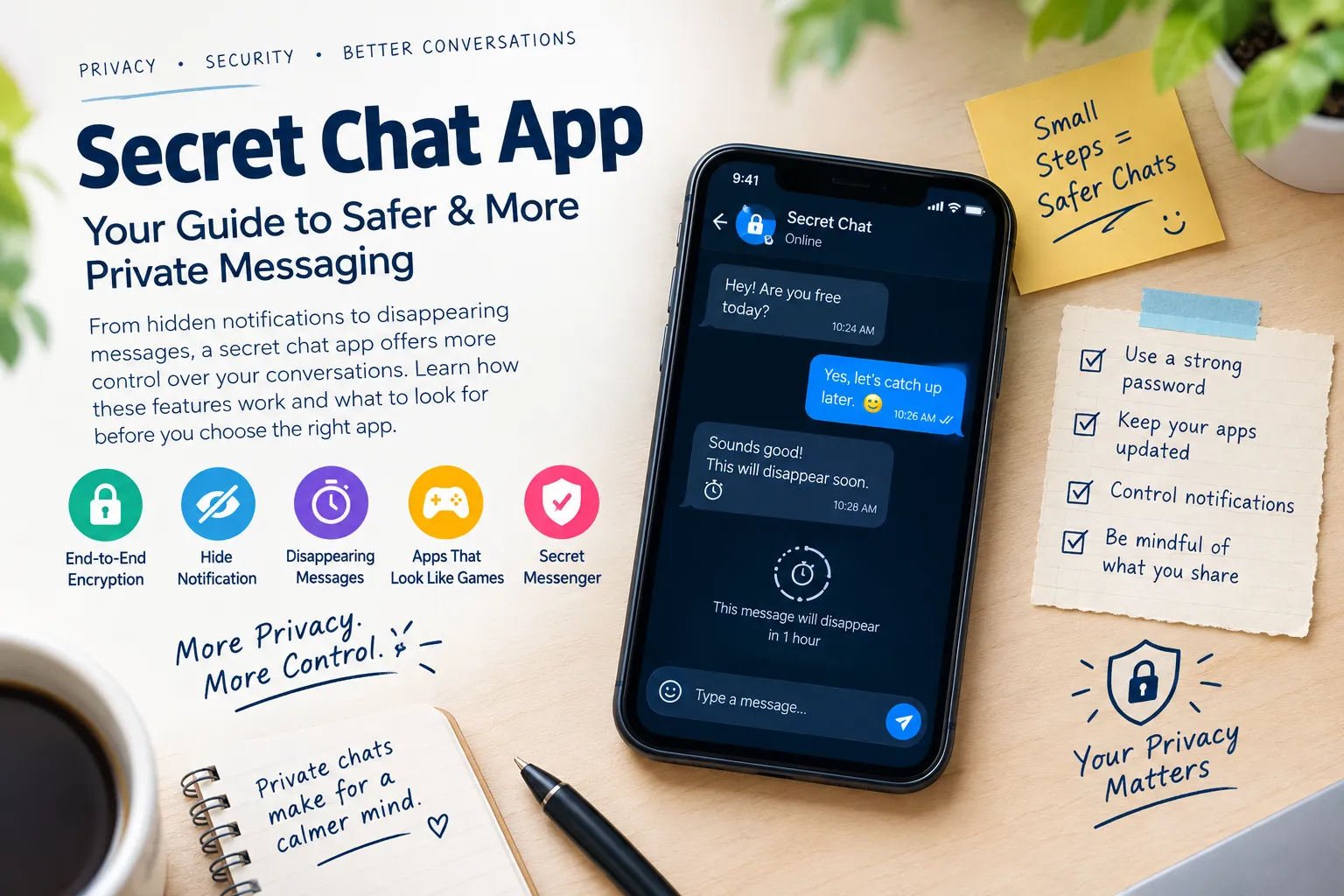
Messaging has become one of the most natural forms of communication. A quick question, a family update, a work instruction, or a shared photograph can all be sent through a chat within seconds.
The convenience is undeniable, but there is another side to this habit. Conversations can accumulate large amounts of personal information, and users may not always know where that information is stored, who can see it, or how long it remains available.
A Secret Chat App can provide privacy-oriented features that address some of these concerns. Yet the application itself is only one part of the picture. A thoughtful messaging routine can be just as important.
Instead of treating privacy as something needed only for highly confidential conversations, it can be approached as an everyday digital habit.
What Does Private Messaging Actually Mean?
Private messaging can mean different things depending on the situation.
For some users, it means keeping conversations away from unauthorized readers. For others, it means preventing message previews from appearing on a lock screen or reducing the amount of old information stored on a phone.
There are several layers to consider:
- Message privacy: protecting the contents of communication.
- Screen privacy: preventing other people from viewing conversations on a device.
- History privacy: limiting how long old messages remain available.
- Account privacy: protecting access to the messaging account.
- Device privacy: controlling which phones and computers can access conversations.
- Data privacy: understanding what information a service collects and retains.
These areas overlap, but they are not identical.
A strong privacy routine considers each one separately.
Begin With the Device You Already Own
Before looking for a new messaging application, take a look at the device itself.
A phone contains much more than messages. It may hold photographs, email accounts, documents, contacts, financial applications, and saved credentials.
If someone can easily unlock the phone, they may gain access to several types of information at once.
A few basic measures can create a stronger foundation:
- Use a strong screen-lock PIN or password.
- Enable automatic locking.
- Keep the operating system updated.
- Install application updates promptly.
- Avoid sharing your device passcode unnecessarily.
- Review what appears when the screen is locked.
These steps are useful regardless of which messaging service you use.
The Quiet Privacy Risk of Notifications
Notifications are designed to make communication convenient. They let users know when a new message has arrived without requiring them to open the application.
But convenience can sometimes conflict with privacy.
A message may appear on the lock screen while a phone is sitting on a table. A nearby person could potentially read part of the conversation without unlocking the device.
This is where a Hide notification option can become useful.
Depending on the phone and application, users may be able to hide message content or restrict what appears in notifications.
After changing the setting, it is worth testing the result. Lock the phone and send yourself a test message. Check whether the sender, message text, or other details are visible.
Privacy settings should always be judged by what the device actually displays.
Give Temporary Information a Shorter Life
Not every conversation needs to remain available for months.
Think about messages containing:
- Temporary meeting arrangements
- Short-term travel plans
- One-time instructions
- Event details
- Information that becomes outdated quickly
Keeping everything forever may be unnecessary.
Some messaging platforms provide disappearing-message options that allow conversations or individual messages to be removed after a selected period.
This can help reduce the amount of old information sitting inside a chat.
However, disappearing messages have a clear limitation: they cannot control copies made by another person. A recipient may save, copy, screenshot, or photograph content before it disappears.
For that reason, temporary messaging should be treated as a history-management feature rather than a guarantee that information can never be retained.
Make Your Own “Before Sending” Rule
One of the most effective privacy habits costs nothing.
Before sending sensitive information, pause for a few seconds.
Ask yourself:
Would this information cause a problem if it were copied?
If the answer is yes, consider whether the information needs to be sent at all.
This is especially relevant to:
- Identification documents
- Financial details
- Passwords and access codes
- Private photographs
- Confidential business information
- Personal addresses
- Sensitive attachments
Even when a Secret Chat App uses strong privacy technology, the recipient ultimately receives the information.
Technology can protect communication in important ways, but it cannot completely control what another person does after receiving a message.
Why a Discreet Interface Is Not Enough
Some people are interested in Secret Messaging Apps That Look Like Games because they provide a less obvious messaging interface.
The idea is based on discretion. An application that resembles a game may not immediately attract attention as a messaging tool.
There can be situations where this type of design is appealing.
However, appearance should not be confused with security.
A game-like interface does not automatically tell you:
- Whether messages are encrypted
- What information the service collects
- How accounts are protected
- How conversations are stored
- Whether devices can be managed
- Whether notifications can be controlled
If discreet design is important, evaluate it alongside the application's technical and privacy features.
The visual appearance should be only one part of the decision.
Understand What a Secret Messenger Protects
The phrase Secret Messenger can refer to many different types of privacy-focused communication tools.
Rather than assuming what the taerm means, investigate the actual service.
Start with its privacy documentation and look for answers to straightforward questions.
How Are Messages Protected?
Find out whether the service uses end-to-end encryption and which types of communication it covers.
What Information Is Collected?
Read about account information, technical information, and other data handled by the service.
How Are Messages Stored?
Determine whether conversations are stored locally, remotely, or through optional backups.
Can Devices Be Reviewed?
Check whether users can see computers, tablets, or phones connected to their accounts.
What Security Controls Are Available?
Look for account protection and other security options.
This approach replaces vague assumptions with specific information.
Do Not Forget About Connected Computers
Messaging is no longer limited to smartphones.
Many services offer desktop applications or web access, allowing users to continue conversations from a computer.
This is convenient, but it creates another place where a private account can remain accessible.
An old computer can easily be forgotten.
For example, someone might connect a messaging account to a laptop and later sell the laptop without checking whether the account is still connected.
A regular device review can reduce this risk.
Check your messaging application's connected-device list and ask:
- Do I recognize every device?
- Am I still using each one?
- Is any device shared?
- Have I recently replaced a phone or computer?
- Is there a connection I do not recognize?
Remove unnecessary connections when appropriate.
Backups Are Part of the Privacy Picture
People often think about the privacy of a conversation inside the messaging application but forget about backups.
Backups can be valuable because they help recover information after a device is lost or replaced.
At the same time, a backup can create another copy of conversation data.
Before enabling or relying on a backup system, understand how it works.
Consider:
- What data is included?
- Where is the backup stored?
- Is it encrypted?
- Who controls the storage?
- Can backups be disabled?
- What happens when you restore the account?
There is no universal answer because different services use different systems.
The important point is to know where your information exists.
Privacy and Anonymity Are Different
A common misunderstanding is that private messaging automatically provides anonymity.
It does not necessarily work that way.
Privacy generally involves controlling access to information. Anonymity concerns whether activity can be connected to a particular person.
A messaging service might protect the contents of a conversation while still handling account details or other technical information.
This is why users with specific privacy requirements should read the application's documentation rather than assuming that a “secret” label means anonymous communication.
Build a Weekly Privacy Check
Privacy becomes easier when it is turned into a routine.
Once in a while, spend a few minutes checking your messaging environment.
Check Notifications
Make sure private message previews are not appearing where you do not want them.
Review Connected Devices
Remove old computers, tablets, or phones that no longer need access.
Clean Up Old Chats
Delete information that no longer needs to remain on the device when appropriate.
Review Security Settings
Make sure account and device protections are still configured as intended.
Check Application Updates
Use current versions of your operating system and messaging applications.
This small routine can help prevent privacy settings from becoming forgotten.
Different Conversations Need Different Settings
There is no reason every conversation has to use exactly the same approach.
Consider a few examples.
A Casual Group Chat
There may be little reason to use additional privacy controls beyond ordinary device security.
A Short-Term Event
Disappearing messages may be useful if the information has no long-term value.
A Private Family Discussion
Notification previews may be worth hiding if other people frequently see your phone.
A Confidential Work Conversation
Understanding encryption, account security, and device access may deserve more attention.
A Shared Computer
Checking sessions and signing out can be especially important.
This situation-based approach makes privacy practical instead of overwhelming.
A Simple Messaging Privacy Checklist
Use the following checklist when reviewing your setup:
Device
- Is my phone protected by a strong lock?
- Does it lock automatically?
- Is the software up to date?
Notifications
- Can people nearby read message previews?
- Should I use Hide notification controls?
Messages
- Do old conversations need to remain available?
- Would disappearing messages make sense for temporary information?
Account
- Is additional account protection available?
- Do I recognize all connected devices?
Sharing
- Does the recipient really need the information?
- Could the information create a problem if it were copied?
Application
- Is the privacy documentation clear?
- Do I understand what the service collects and stores?
A checklist like this can be more useful than trying to remember dozens of individual settings.
The Human Element Still Matters
Privacy technology can protect information in important ways, but users remain part of the security process.
A person can accidentally send a message to the wrong contact. Someone can leave an unlocked phone unattended. A confidential photograph can be forwarded. An old laptop can remain connected to an account.
These are not problems that encryption or disappearing messages can completely solve.
That is why good privacy involves both technology and behavior.
The strongest approach is not necessarily the one with the largest number of features. It is the one where users understand the available controls and use them appropriately.
Final Thoughts
A Secret Chat App can provide useful tools for people who want greater control over digital conversations. But private communication is not created by an application alone.
Notification controls can reduce accidental exposure. Disappearing messages can limit unnecessary chat history. Encryption can protect message content. Device management can help users control where accounts remain accessible.
Secret Messaging Apps That Look Like Games may offer another layer of visual discretion, while a Secret Messenger can provide privacy-oriented communication features. In both cases, users should look beyond the name or interface and examine the actual technology and privacy practices.
The best privacy habits are often simple: secure the phone, control lock-screen notifications, review connected devices, understand how messages are stored, and think carefully before sharing sensitive information.
Private messaging is ultimately about control and awareness. When users understand where their conversations can appear and how different privacy features work, they can make better choices about what they share and how they communicate.
Related Reading
Expert Insights: Navigating the Complex World of Entertainment & Pop Culture
Welcome to our in-depth exploration of Entertainment & Pop Culture. In an er...
Why Entertainment & Pop Culture is Transforming the Global Industry Landscape
Welcome to our in-depth exploration of Entertainment & Pop Culture. In an er...