Category

Software Development

Comprehensive discussions and expert insights revolving around software development trends and best practices.

Jun 02, 2026 20 Reads

Custom Ninja Dashboards in Odoo: A Complete Guide

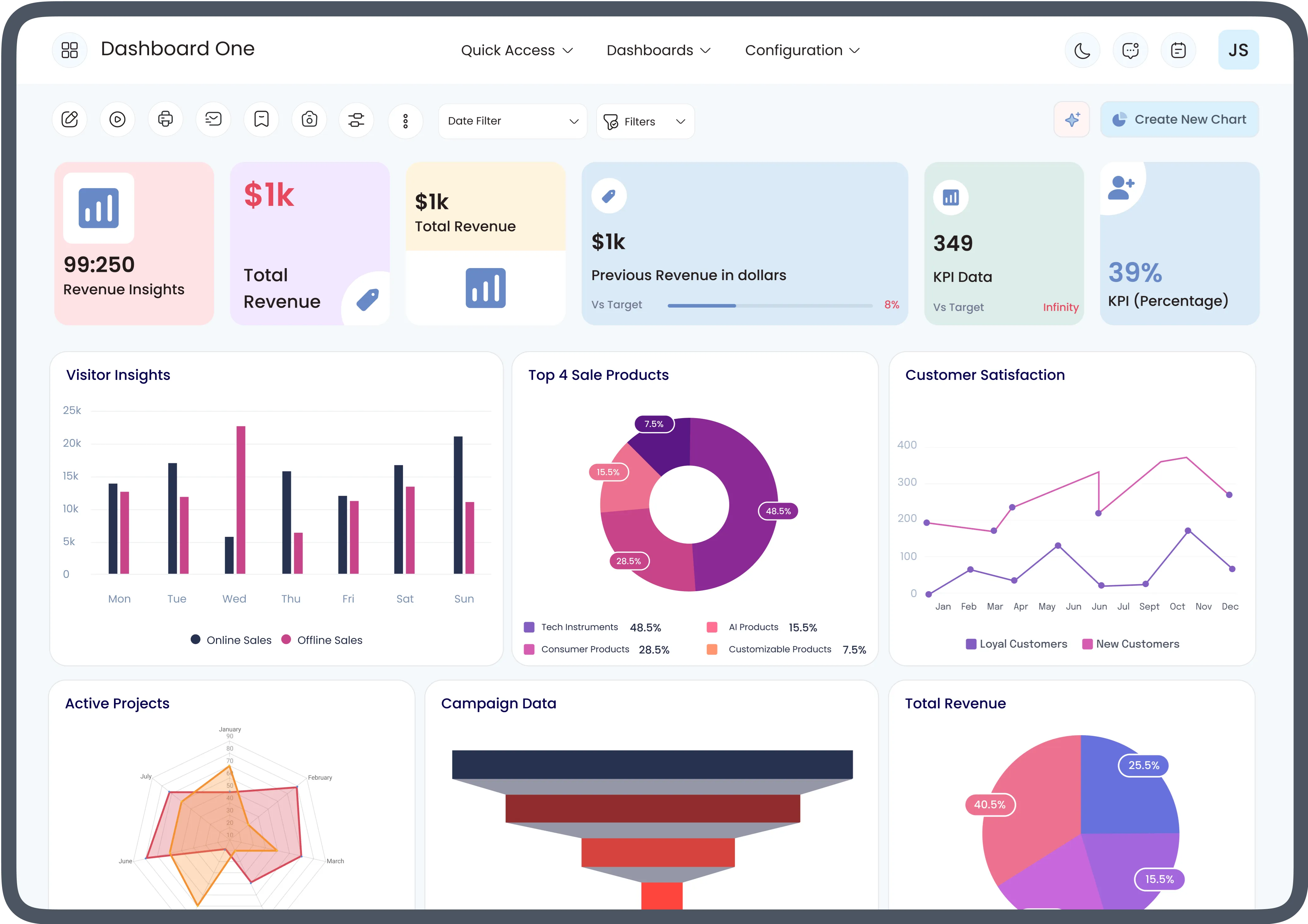
Modern businesses generate massive amounts of data every day. While Odoo ERP provides access to this information, decision-makers often struggle to extract actionable insights from raw data. This is where Ninja Odoo dashboards become valuable. By combining powerful visualization tools with advanced reporting capabilities, businesses can transform complex data into meaningful insights. Understanding and utilizing Odoo analytics features helps organizations improve efficiency, monitor performance, and make data-driven decisions.In this guide, we'll explore how custom Ninja dashboards work in Odoo, their key benefits, and how businesses can leverage Odoo analytics to achieve better operational visibility.Understanding Odoo Analytics FeaturesThe built-in Odoo analytics features provide businesses with tools to analyze data across various modules, including sales, inventory, accounting, CRM, manufacturing, and human resources.Key analytics capabilities include:Real-time reportingPivot tables and graphical viewsKPI trackingData filtering and groupingForecasting and trend analysisCustom report generationThese features enable users to identify patterns, monitor business performance, and quickly respond to operational changes.What Are Ninja Odoo Dashboards?Ninja Odoo dashboards are advanced dashboard solutions designed to provide highly customizable and interactive visualizations within Odoo. Unlike standard reports, Ninja dashboards present critical business information through charts, graphs, gauges, and KPI cards in a centralized interface.These dashboards help managers and executives access important metrics without navigating multiple Odoo modules.Common dashboard elements include:Revenue performance chartsSales pipeline trackingInventory status indicatorsCustomer acquisition metricsFinancial performance summariesEmployee productivity reportsThe primary goal is to simplify complex business data into easy-to-understand visual insights.Benefits of Custom Ninja Dashboards in OdooImproved Decision-MakingCustom dashboards allow decision-makers to access real-time information instantly. With accurate and up-to-date metrics, businesses can make informed decisions faster and reduce operational risks.Enhanced Data VisibilityBy consolidating information from multiple departments, Ninja dashboards provide a complete view of business performance. This eliminates data silos and improves organizational transparency.Real-Time MonitoringBusinesses can monitor KPIs continuously and identify issues before they become major problems. Real-time visibility enables proactive management and faster response times.Increased ProductivityEmployees spend less time generating reports and more time focusing on strategic tasks. Automated dashboard updates reduce manual reporting efforts significantly.Personalized User ExperienceCustom dashboards can be tailored to different roles within the organization. Sales managers, finance teams, and executives can each view metrics relevant to their responsibilities.Key Odoo Analytics Features Used in Ninja DashboardsInteractive Charts and GraphsInteractive visualizations make data easier to interpret. Users can drill down into specific records, filter information, and analyze trends in greater detail.KPI WidgetsKey Performance Indicator (KPI) widgets display essential business metrics such as:Total salesProfit marginsCustomer retention ratesInventory turnoverLead conversion ratesThese widgets provide quick performance snapshots.Advanced Filtering OptionsUsers can customize views based on:Date rangesDepartmentsProductsSales representativesCustomer segmentsAdvanced filtering ensures more targeted analysis.Multi-Module IntegrationOne of the strongest Odoo analytics features is its ability to combine data from various modules into a single dashboard, providing comprehensive business intelligence.Automated ReportingDashboards can generate automated reports and scheduled summaries, ensuring stakeholders receive critical information without manual intervention.How to Create Custom Ninja Dashboards in OdooStep 1: Identify Business RequirementsBegin by determining which metrics and KPIs are most important for your organization. Focus on business objectives and reporting needs.Step 2: Collect Relevant DataGather data from the necessary Odoo modules such as Sales, CRM, Accounting, Inventory, and Manufacturing.Step 3: Design Dashboard LayoutCreate a user-friendly dashboard structure that prioritizes the most important information. Use visual hierarchy to improve readability.Step 4: Configure Widgets and ChartsAdd KPI cards, charts, gauges, tables, and graphs that align with business goals and reporting requirements.Step 5: Apply Filters and PermissionsConfigure filters and user access permissions to ensure each user sees relevant information while maintaining data security.Step 6: Test and OptimizeReview dashboard performance, gather user feedback, and make improvements to maximize usability and efficiency.Best Practices for Ninja Odoo DashboardsFocus on Key MetricsAvoid dashboard clutter by displaying only the most critical KPIs that support business objectives.Use Clear VisualizationsChoose chart types that best represent the underlying data and make insights easy to understand.Ensure Mobile AccessibilityModern users often access dashboards from mobile devices. Responsive dashboard design improves accessibility and usability.Regularly Update Dashboard ContentBusiness priorities evolve over time. Periodically review dashboard metrics to ensure continued relevance.Maintain Data AccuracyThe effectiveness of any dashboard depends on accurate and reliable data. Regular data validation is essential.Industries Benefiting from Odoo Analytics Features and Ninja DashboardsRetailRetailers use dashboards to monitor inventory levels, sales trends, and customer behavior.ManufacturingManufacturers track production efficiency, machine utilization, and supply chain performance.HealthcareHealthcare organizations analyze patient data, operational performance, and resource allocation.E-commerceOnline businesses monitor website traffic, conversion rates, customer acquisition costs, and order fulfillment metrics.Professional ServicesService-based companies evaluate project profitability, employee productivity, and client satisfaction.Future of Odoo Analytics and Dashboard ReportingAs businesses increasingly rely on data-driven strategies, dashboard technology continues to evolve. Future enhancements in Odoo analytics features may include:Artificial Intelligence-powered insightsPredictive analyticsAdvanced forecasting modelsNatural language reportingEnhanced real-time data processingThese innovations will further improve the effectiveness of Ninja Odoo dashboards and help organizations gain deeper business insights.ConclusionCustom Ninja Odoo dashboards offer a powerful way to transform business data into actionable insights. By leveraging advanced Odoo analytics features, organizations can improve visibility, enhance decision-making, and streamline operations. Whether you're managing sales, finance, inventory, or customer relationships, custom dashboards provide a centralized platform for monitoring performance and driving business growth.Investing in customized dashboard solutions is no longer a luxury but a necessity for businesses seeking greater efficiency and competitive advantage in today's data-driven environment.

A
Alex Smithi
May 11, 2026 39 Reads

Custom Software Development: Turning Vision into Scalable Digital Solutions

In today’s fast-moving digital world, businesses need more than generic software to stay competitive. Off-the-shelf platforms may offer convenience, but they often fail to meet the unique operational needs of growing companies. That’s where Custom Software Development becomes a game-changer.At Phentech, innovation meets strategy to create software solutions that are tailored specifically for modern businesses. Since 2019, the company has helped startups, entrepreneurs, and small-to-medium enterprises transform ambitious ideas into high-performing digital products. By combining technical expertise with deep business understanding, Phentech develops scalable applications that solve real-world challenges and support long-term growth.What Is Custom Software Development?Custom Software Development refers to the process of designing, developing, and deploying software solutions that are specifically built for a company’s unique requirements. Unlike ready-made software that serves a broad audience, custom solutions are tailored to match business workflows, goals, and customer expectations.Whether it’s an internal management system, a B2B platform, a customer portal, or a business automation tool, custom-built software offers flexibility and efficiency that standard products often cannot provide.Businesses today face challenges that demand personalized technology solutions, including:Complex workflowsIndustry-specific requirementsIntegration with existing systemsScalability concernsSecurity and compliance needsAutomation of repetitive tasksCustom software addresses these issues by delivering technology that fits the business — not the other way around.Why Businesses Choose Custom Software DevelopmentEvery business operates differently. A retail company has different needs than a logistics provider or a healthcare startup. Using the same software as competitors can limit innovation and operational efficiency.Here are some key reasons companies invest in custom software:1. Tailored to Your Business ProcessesOne of the biggest advantages of custom software is personalization. Businesses can create features, dashboards, and workflows that align perfectly with their daily operations.Instead of changing processes to fit software limitations, the software adapts to the business model.2. Improved ScalabilityAs businesses grow, their technology must grow with them. Custom applications are designed with scalability in mind, allowing organizations to add new features, users, and integrations without rebuilding the entire system.This flexibility helps companies remain future-ready in an evolving digital landscape.3. Enhanced Efficiency and AutomationManual processes slow down productivity and increase the risk of errors. Custom software can automate repetitive tasks such as data management, reporting, inventory tracking, and customer communication.This allows teams to focus on strategic work instead of administrative tasks.4. Better SecurityCybersecurity is a major concern for businesses worldwide. Off-the-shelf software is often targeted by hackers because of its widespread use.Custom software solutions can include advanced security protocols tailored to the organization’s specific requirements, reducing vulnerabilities and protecting sensitive business data.5. Competitive AdvantageCustom digital solutions help businesses stand out in crowded markets. By offering unique functionality and optimized user experiences, companies can deliver better services and operate more efficiently than competitors relying on generic tools.Bringing Ideas to Life with PhentechAt Phentech, the focus goes beyond coding software. The company works closely with clients to understand their vision, goals, and operational challenges before building a solution.This collaborative approach ensures every project delivers measurable business value.From concept to deployment, Phentech supports businesses through every stage of the development journey, including:Discovery and planningUI/UX designSoftware architectureFrontend and backend developmentAPI integrationsCloud deploymentMaintenance and supportBy blending innovation with strategic thinking, the company creates solutions that are both technically powerful and commercially effective.Industries Benefiting from Custom Software DevelopmentCustom software is no longer limited to large enterprises. Small and medium-sized businesses across various industries are leveraging tailored applications to improve operations and customer experiences.E-CommerceCustom platforms help businesses manage inventory, automate orders, and create personalized shopping experiences.HealthcareHealthcare providers use custom systems for patient management, appointment scheduling, and secure medical data handling.Real EstateReal estate companies benefit from property management systems, CRM platforms, and digital communication tools.Logistics and TransportationCustom applications streamline shipment tracking, route management, and warehouse operations.Finance and AccountingFinancial businesses use tailored software for reporting, analytics, invoicing, and compliance management.The Importance of Scalable TechnologyTechnology should support business growth instead of limiting it. A scalable software solution allows organizations to adapt quickly to changing market conditions and customer demands.At Phentech, scalability is a core part of every development project. Applications are built to handle increased workloads, larger datasets, and future feature expansions without compromising performance.This approach ensures businesses can continue evolving without costly software migrations later.Innovation Through CollaborationSuccessful software development requires more than technical skills. It demands clear communication, strategic planning, and a deep understanding of business goals.Phentech emphasizes collaboration throughout the development process, ensuring clients remain involved at every stage. This transparent workflow leads to faster feedback cycles, stronger product alignment, and better overall outcomes.By partnering with businesses instead of simply serving as a vendor, the company creates digital solutions that genuinely solve operational problems.Future-Proofing Businesses with Custom SolutionsDigital transformation is no longer optional. Businesses that invest in modern technology are better positioned to compete, scale, and adapt to future challenges.Custom software development empowers organizations to:Improve operational efficiencyDeliver better customer experiencesReduce long-term technology costsGain actionable business insightsSupport remote and hybrid operationsAdapt quickly to market changesWith the right technology partner, companies can turn innovative ideas into reliable digital products that drive lasting success.Final ThoughtsCustom software is more than a technical investment — it’s a strategic advantage. Businesses that choose tailored digital solutions gain the flexibility, scalability, and efficiency needed to thrive in competitive markets.Phentech continues to help businesses bridge the gap between vision and technology by delivering innovative, high-performing software solutions built for long-term impact.For companies looking to modernize operations, streamline workflows, or launch new digital products, Custom Software Development offers the foundation for sustainable growth and innovation.

P
Phen Tech
May 07, 2026 38 Reads

AI as a Service UK: What It Is, What to Ask, and What It Costs

AI as a Service (AIaaS) for UK Businesses: A Practical 2026 GuideThere's a category of vendor that describes their offering as "AI as a service" and means something slightly different every time. Some mean API access to a large language model. Some mean a managed platform where they run your AI workloads. Some mean a consultant who will "implement AI" in your business and call it a service. The category is real, but the terminology is loose enough to create serious confusion at the contract stage.This guide is written for UK businesses trying to understand what they're actually buying — what AI as a service UK providers offer, what compliance requirements apply specifically in the UK in 2026, what it costs, and what to watch for when evaluating providers.What AI as a service actually meansAt its core, AI as a service (AIaaS) means accessing AI capabilities through a vendor's infrastructure rather than building and maintaining them yourself. The vendor trains and hosts the models, manages the computing infrastructure, and handles updates. You access the capabilities via API or a managed interface and pay based on usage or a subscription.The appeal is straightforward: you get AI without needing a data science team, GPU servers, or the years of data engineering that training useful models requires. The risks are also straightforward: you become dependent on a vendor, your data may leave your systems, and you're subject to pricing changes you can't control.Neither of these is a reason to avoid AIaaS. They're reasons to go in with clear eyes.The four types of AIaaS: which one your business probably needsThe term covers four meaningfully different things:API-based AI (pay-per-use): You send data to a provider's model via API and get a result back. OpenAI, Google Cloud AI, and Azure AI work this way for most features. You pay per token, per image processed, per prediction. This is the simplest entry point and the right choice for adding AI capabilities to existing software without building anything from scratch.AI platforms (managed infrastructure): A provider gives you tools to deploy and run AI models (your own or pre-built) without managing the underlying servers. AWS SageMaker, Google Vertex AI, and Azure ML fall here. Better suited to companies that need to run proprietary models or have specific infrastructure requirements.Managed AI services (full outsourcing): A provider handles everything: selecting the right models for your use case, integrating them with your systems, monitoring performance, and maintaining them over time. This is what specialist UK AI services companies offer, and what most SMBs actually need when they say they want "AI as a service."AI-embedded software (AIaaS in disguise): Your CRM now has AI-powered lead scoring. Your accounting software predicts cash flow. Your helpdesk auto-classifies tickets. This is AIaaS built into a product you're already buying. It's worth recognising because the compliance questions still apply: the AI provider powering those features may be processing your data in ways your SaaS vendor hasn't clearly disclosed.Most UK businesses asking about AI as a service actually need the third category: a partner who selects, configures, integrates, and maintains AI in their business. The first category (raw APIs) requires internal engineering capability to use effectively.AIaaS vs. building AI in-house: the actual comparisonThe standard pitch for building in-house is control and proprietary advantage. Both are real. The problem is that building and maintaining useful AI models in-house requires data scientists (£60,000–£100,000 per year each), ML infrastructure, and a data engineering function to keep models fed with clean data. That overhead rarely makes financial sense below £5m annual turnover, and often not below £20m.AIaaS trades control for speed and cost-efficiency. You're typically operational in weeks rather than months. You don't carry the staffing risk. You benefit from a provider that updates and improves the models as the field advances.The case for in-house shifts when two things are true simultaneously: you have a dataset that is genuinely proprietary and gives you a competitive advantage, and you have the budget and talent to exploit it. For most UK SMBs, neither condition applies yet — which is why AIaaS is usually the right starting point.What UK businesses need to check before signing an AIaaS contractThis is the section most AIaaS guides skip, because most are written by companies not subject to UK law.UK GDPR and data residencyIf the AI service processes personal data (customer records, employee data, financial information) your provider is a data processor under UK GDPR and must sign a Data Processing Agreement (DPA) before you share any data with them.If data is transferred outside the UK or EEA for processing, you additionally need an International Data Transfer Agreement (IDTA). Many AI providers (including some large US platforms) process data in the US by default. This is not automatically unlawful, but it requires the right contractual paperwork and a Transfer Impact Assessment.Ask specifically: where is my data processed and stored? Can you provide a DPA? What happens to my data if I terminate the contract?The Data (Use and Access) Act 2025The UK's Data (Use and Access) Act 2025 introduces new obligations that apply to AI systems processing certain categories of data, including health data, financial data, and data used to make automated decisions affecting individuals. If your AIaaS use case falls into one of these categories, you may face additional requirements around human oversight, transparency reporting, and impact assessments, all on top of GDPR obligations.This is genuinely new territory. The Act only came into effect in 2025, and most AIaaS providers' standard contracts do not address it yet. Raise it in pre-contract conversations. A provider who has a clear answer is ahead of the field.Exit rights and data portabilityA question almost nobody asks until they need the answer: if you want to leave this provider, can you get your data back? In a usable format? Within a reasonable timeframe? Many managed AI platforms keep model weights, training logs, and processed outputs in proprietary formats that are difficult to migrate.Build exit provisions into the contract before you sign. Specifically: data portability in standard formats, a termination assistance period where the provider helps you migrate, and clarity on who owns any models fine-tuned on your data.What does AI as a service cost in the UK?Real ranges, based on current market pricing:Usage-based AI APIs — £0 to £500/month For low-to-moderate business use of OpenAI, Azure AI, Google Cloud AI, or similar. A small business running a customer service chatbot or automated document processing at modest volume often stays well under £200/month. Costs scale with usage, so high-volume applications can run significantly higher.Managed AI services — £500 to £2,500/month A provider configures, integrates, and supports AI within your business. Most UK SMBs working with a specialist AI services partner fall in this range. Expect a setup fee of £500–£2,500 on top of the monthly retainer. This typically covers model selection, integration with your systems, initial testing, and ongoing support.Full managed AI programmes — £2,500 to £10,000+/month End-to-end management including monitoring, retraining, compliance reporting, and dedicated support. Appropriate for businesses where AI is a core operational dependency rather than a supplementary tool.One cost that doesn't appear in most provider pricing pages: the internal time required to manage the relationship, provide feedback, and integrate AI outputs into your workflows. Budget for 5–10 hours per month of internal time, minimum, regardless of how managed the service is.Signs you're not getting a real managed AI serviceA few patterns worth watching for:They can't explain which models they're using, or why. A provider who says "we use the latest AI" without specifying what they're running and how they evaluated it for your use case is reselling another vendor's API with a margin on top. Not inherently wrong, but you should know what you're paying for.No DPA in the standard contract. If data processing agreement language isn't included in their standard contract, and they treat your request for one as unusual, that's a compliance red flag regardless of how good the technology is.Pricing that doesn't account for your data volume. Legitimate AIaaS pricing is always connected to usage (tokens, API calls, data processed) or scope (hours of support, number of integrations). A flat-rate pitch that ignores your actual usage pattern is either wildly generous or hiding something in the definition of what's included.No answer on exit. If a provider gets uncomfortable when you ask about data portability and contract termination, that discomfort is telling you something.AtomQuark.ai managed AI servicesWe provide managed AI services for UK B2B businesses across logistics, manufacturing, and professional services. Our service includes model selection and configuration for your specific use case, integration with your existing systems, UK data residency as standard, full UK GDPR DPA coverage, and ongoing monitoring and support.Every engagement starts with a scoping phase where we assess your use case, your data situation, and your compliance requirements before quoting. If your use case isn't right for AIaaS at this stage, we'll tell you that too.Talk to us about your AI requirementsFrequently asked questionsWhat is AI as a service (AIaaS)?AI as a service means accessing AI capabilities through a vendor's infrastructure rather than building and running your own. Providers host the models; you access them via API or a managed service and pay based on usage or a monthly fee. The main appeal is that you get working AI without the cost of training models or managing servers.Is AI as a service compliant with UK GDPR?It depends on the provider and how data flows. Any AIaaS provider processing personal data on your behalf must sign a Data Processing Agreement (DPA). If data is processed outside the UK or EEA, an International Data Transfer Agreement (IDTA) is also required. The Data (Use and Access) Act 2025 adds further obligations for certain AI use cases. Always ask providers where your data is processed and request a DPA before sharing any personal data.How much does AI as a service cost in the UK?Usage-based AI APIs typically cost £0–£500/month for low-to-moderate business use. Managed AI services with configuration and support range from £500–£2,500/month for most UK SMBs. Full managed AI programmes run £2,500–£10,000+/month. Setup fees of £500–£2,500 are common with managed services.What is the difference between AIaaS and SaaS?SaaS delivers a finished application. AIaaS delivers an AI capability you integrate into your own software or processes. The distinction matters for procurement: AIaaS requires integration work and technical involvement, while SaaS is typically plug-and-play. Many SaaS products now have AIaaS built into them — the compliance questions still apply to those underlying AI services even if they're not visible.Should a UK small business use AIaaS or build AI in-house?For most UK SMBs, AIaaS is the right starting point. Building in-house requires data scientists, ML infrastructure, and significant ongoing investment that rarely makes financial sense below £5m turnover. AIaaS lets you access proven capabilities without that overhead. The case for in-house builds when you have genuinely proprietary data and the budget to exploit it — for most businesses, that's a future consideration, not a current one.

A
Ashish Kapur